Laravel Browsershot in Production: Chromium, Queues, Memory and Scaling
See what it takes to run Browsershot reliably in production—from Chromium and Docker to queue capacity, memory, assets, security, and persistent browsers.

On this page
Laravel Browsershot is an excellent way to generate browser-quality PDFs. The local experience is deliberately simple: pass HTML to a PHP API and receive a PDF. In production, however, the real rendering path crosses PHP, Node.js, Puppeteer and Chromium—and each layer has its own dependencies, processes and failure modes.
This guide explains that production architecture without arguing that Browsershot is a bad choice. It covers installation, queues, Docker, memory, persistent browsers, local assets, security and capacity planning, then shows when separating the browser from Laravel becomes the cleaner boundary.
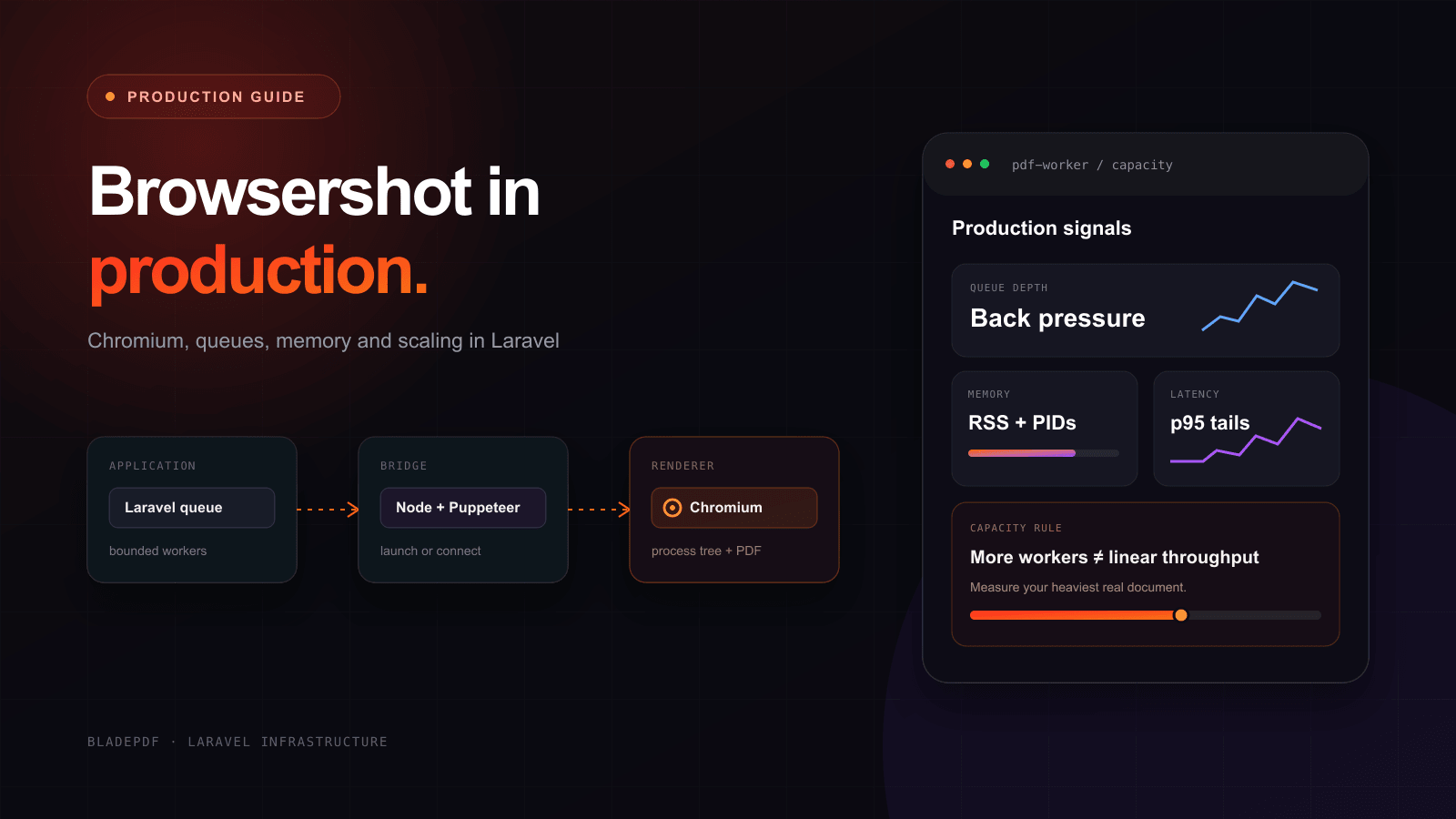
Move expensive PDF work away from web requests, then give those workers a deliberate concurrency limit.
Queue concurrency creates browser concurrency. Throughput eventually flattens while latency and memory keep rising.
Keep it local for control, isolate it as a service, or move the browser runtime to a managed provider.
Short answer: Browsershot belongs in a Laravel queue for slow or batch work, but a queue does not solve Chromium capacity. Start with a small measured worker count, pin the Node/Puppeteer/Chrome toolchain, run Chrome with a real sandbox, package fonts with the deployment, and treat browser failures as normal retryable infrastructure failures.
Running Laravel Browsershot in production#
The public API hides the complexity on purpose:
use Spatie\Browsershot\Browsershot;

Browsershot::html($html)
    ->format('A4')
    ->showBackground()
    ->save(storage_path('app/invoices/INV-1042.pdf'));
The PHP call is only the first step. Browsershot serializes its options, invokes a Node.js script, Puppeteer launches or connects to Chrome, and Chrome creates one or more processes to load the document and print it to PDF.
That distinction matters during incidents. A PHP exception saying that Chrome could not launch may actually come from a missing Linux library, an incompatible executable path, a sandbox restriction, an unwritable profile directory or a killed child process. Monitoring only PHP memory and Laravel queue depth shows an incomplete system.
What Browsershot needs in production#
The current Browsershot requirements specify Node.js 22 LTS or newer and Puppeteer 23 or newer. The default Browsershot driver in spatie/laravel-pdf also requires a Chrome or Chromium binary. A working deployment therefore needs:
- Node.js and npm available to the PHP worker;
- Puppeteer and a compatible Chrome/Chromium version;
- the Linux shared libraries required by that browser build;
- every font used by the document, including its expected weights;
- writable temporary, cache and browser-profile directories;
- permission to create browser child processes;
- explicit paths when production binaries are not on the worker’s
PATH.
Browsershot exposes those paths directly:
use Spatie\Browsershot\Browsershot;

$browsershot = Browsershot::html($html)
    ->setNodeBinary('/usr/bin/node')
    ->setNpmBinary('/usr/bin/npm')
    ->setChromePath('/usr/bin/google-chrome')
    ->setNodeModulePath(base_path('node_modules'));
Do not treat those paths as a substitute for version control. Keep the Puppeteer version in package-lock.json, pin the base image by an immutable version or digest, and deliberately update Chrome together with the integration. “Use whatever Chrome happens to be installed on the host” makes rollbacks and output regressions harder to explain.
Fonts are part of the runtime#
A missing font rarely crashes a render. Chromium silently substitutes another face, which changes line breaks, table height and page count. Package the actual font files or system font packages with the worker image, rebuild the font cache when needed, and test the languages your customers use—not only ASCII fixture text.
Why Browsershot requires Puppeteer and Chromium#
Chrome uses a multi-process architecture. A browser process coordinates renderer processes, networking and supporting utilities. One PDF may therefore be visible as a small PHP process plus Node and several Chrome descendants rather than one neat “PDF worker.”
In our reproducible Laravel PDF benchmark, standard Browsershot rendering the modern invoice sequentially reached 623 MiB of observable Laravel-side peak RSS. That measurement follows the application process tree, so Chrome is included. It is not a universal per-document memory constant: Chrome version, document complexity, concurrency, shared processes and the measurement method all affect the result.
The important operational lesson is more durable than the number: PHP’s memory_limit is not a capacity limit for the whole browser tree. Watch host or container RSS, PID counts, OOM kills, render latency and successful throughput as separate signals.
Fresh Chrome per PDF or a persistent browser?#
Standard Browsershot starts a fresh browser for each render. That creates a clean lifecycle and simple failure isolation, but browser startup is repeated for every document. Browsershot can instead connect to a remote Chrome debugging endpoint through setRemoteInstance().
Launch → render → close
Clear ownership per job and fewer long-lived state problems, with repeated startup cost.
Connect → render many → recycle
Higher measured throughput, but your system now owns browser health, page cleanup, isolation and restarts.
The difference was measurable on the same CPX42 capacity host and modern-invoice fixture:
| Browsershot mode | Concurrency | Success | p95 | Throughput | Observable memory boundary |
|---|---|---|---|---|---|
| Fresh browser per render | 8 | 100/100 | 754 ms | 11.48 docs/s | 4,907 MiB app process tree |
| Persistent Chromium service | 8 | 100/100 | 613 ms | 14.45 docs/s | 1,098 MiB app clients + 518 MiB service |
The persistent variant improved throughput by about 26% and reduced p95 by about 19% in that block. It also changed what had to be operated. The remote browser needs health checks, bounded page concurrency, dead-browser detection, cleanup after failed jobs, periodic recycling and a secure debugging endpoint that is never exposed to the public internet.
Treat persistence as an architectural move, not a one-line performance switch. The benchmark source and raw run are public, including the separate process-tree and render-service measurements.
Should Browsershot run in a Laravel queue?#
Usually yes for batch exports, scheduled reports, emails and any PDF that can take long enough to make an HTTP request unpleasant. A queue gives the web request a short acknowledgement, supports controlled retries and lets PDF workers have different resources from the rest of the application.
use App\Services\InvoicePdf;
use Illuminate\Contracts\Queue\ShouldQueue;
use Illuminate\Foundation\Queue\Queueable;

final class RenderInvoicePdf implements ShouldQueue
{
    use Queueable;

    public int $tries = 3;

    public function __construct(public readonly int $invoiceId) {}

    public function backoff(): array
    {
        return [10, 60, 180];
    }

    public function handle(InvoicePdf $pdf): void
    {
        $pdf->render($this->invoiceId);
    }
}
The job should be idempotent: retrying invoice INV-1042 should replace or reuse the same render target, not create conflicting business records. Record an application reference, the attempt number, timing and failure category so a browser crash can be distinguished from a bad template.
A queue does not create browser capacity#
If Supervisor starts twenty workers, twenty jobs may try to launch Chrome at the same time:
That can increase throughput while spare CPU and memory exist. Past saturation, it mainly increases contention, tail latency and the chance of an OOM kill. A queue is valuable precisely because it can hold excess work safely; using worker count to eliminate all queue depth defeats that protection.
Measure the saturation point before scaling workers#
Our benchmark submitted 100 modern invoices at each concurrency level on a CPX42 host with 8 shared vCPU and approximately 16 GB RAM. Standard Browsershot scaled strongly through concurrency 8, then throughput flattened while p95 kept rising:
This is not a universal recommendation to run eight workers. It is evidence of the shape to look for on your host and document: increase offered concurrency in steps, measure successful documents per second and p95, then stop before the curve turns into extra latency and memory without meaningful throughput.
A practical capacity test should include:
- the heaviest representative Blade view, not a “Hello world” PDF;
- the fonts, images and JavaScript used in production;
- a fixed number of attempts at several concurrency levels;
- success count, p50/p95/p99, throughput, RSS, PID count and OOM events;
- enough idle time or isolation to avoid one test contaminating the next.
Run the same test after changing the Chrome version, container image, VM shape or template. Worker count is a measured deployment setting, not a Laravel convention.
Running Browsershot in Docker#
Docker makes the dependency set reproducible, but it does not make Chrome operationally free. The image still needs Node, Puppeteer, a compatible browser, shared libraries, fonts, a writable profile/temp area and a process model that reaps Chrome children.
The official Puppeteer Docker guide provides an image with Chrome for Testing and its dependencies, and explicitly recommends an init process. If you build a combined PHP worker image, keep the browser installation in the image rather than downloading it when a job starts:
FROM php:8.4-cli-bookworm

# Install Node.js plus the Chrome libraries and fonts required by your documents.
# Keep package repositories and versions pinned in the real production image.
COPY package.json package-lock.json /var/www/app/
WORKDIR /var/www/app

RUN npm ci --omit=dev \
    && npx puppeteer browsers install chrome --install-deps

COPY --chown=www-data:www-data . /var/www/app

USER www-data
ENV XDG_CONFIG_HOME=/tmp/.chromium
ENV XDG_CACHE_HOME=/tmp/.chromium

ENTRYPOINT ["docker-php-entrypoint"]
CMD ["php", "artisan", "queue:work", "--queue=pdf", "--tries=3", "--timeout=90"]
This is an architecture excerpt, not a drop-in image for every distribution. In a real build, install Node from a pinned source, verify the PHP extensions your application needs, copy Composer dependencies in a cache-friendly stage, and confirm that Puppeteer’s --install-deps supports the selected Debian/Ubuntu base.
Keep the sandbox unless you have a stronger isolation boundary#
Puppeteer’s Chrome sandbox guidance strongly discourages --no-sandbox. Running the container as root and disabling the browser sandbox because Chrome otherwise fails is a warning about the container configuration, not a production fix.
Use a non-root user, configure a supported user-namespace or sandbox setup, and validate it in the actual orchestrator. If a platform requires disabling the Chrome sandbox, document the threat model and compensate with a hardened container or VM boundary, restricted filesystem, resource limits and network policy.
/dev/shm, writable directories and child processes#
Chrome uses shared memory and writes profiles, caches and crash data. Give the container an intentional shared-memory strategy and writable temporary directories; do not discover these requirements only after switching the root filesystem to read-only. Use Docker’s --init or an equivalent init process so terminated browser descendants are reaped correctly.
Local assets are a deployment boundary#
This works only when the browser can reach the same path:
<img src="{{ storage_path('app/brand/logo.png') }}" alt="Acme">
<link rel="stylesheet" href="{{ public_path('build/assets/invoice.css') }}">
When Chrome runs beside the Laravel worker with the same filesystem, Browsershot can load local files. Spatie documents Chromium flags such as --allow-file-access-from-files for local CSS, images and fonts, while also warning that the accompanying web-security changes disable protections. Use the narrowest access that makes the document work and render only application-controlled templates.
The path stops working as soon as the browser crosses a filesystem boundary:
| Browser location | Can it read /var/www/app/storage/logo.png directly? |
Typical asset strategy |
|---|---|---|
| Same host/container | Usually, with correct permissions and file access | Local file URL/path |
| Separate Chrome container | Only if the volume and path are shared deliberately | Shared volume or request upload |
| Gotenberg service | No implicit access to Laravel’s filesystem | Multipart upload or reachable URL |
| Remote rendering API | No | Upload, data URL or short-lived reachable URL |
Our benchmark tested a local PNG, Vite-built CSS and a storage font across these boundaries. The full renderer comparison includes the native and documented-remediation results.
Wait for readiness, not an arbitrary sleep#
Browser-quality rendering often includes charts, web fonts or client-side content. Capturing immediately after navigation can produce a valid PDF with an empty chart. A fixed sleep is both slow on fast renders and unreliable on slow ones.
With spatie/laravel-pdf, set a deterministic flag after the document is complete and wait for that expression:
<canvas id="revenueChart"></canvas>

<script>
    renderRevenueChart('#revenueChart').then(() => {
        document.fonts.ready.then(() => {
            window.pdfReady = true;
        });
    });
</script>
use Spatie\LaravelPdf\Facades\Pdf;

Pdf::view('pdf.report', ['report' => $report])
    ->waitUntilReady('window.pdfReady === true', timeout: 10_000)
    ->save($targetPath);
Spatie’s readiness API supports Browsershot and defaults to a 30-second wait. Set a finite timeout appropriate to the document and make timeout behavior visible in logs. A timeout should fail the job; it should never silently publish a half-rendered invoice.
Security: a PDF renderer is still a browser#
The input is not merely converted from HTML syntax to PDF bytes. Chromium can execute JavaScript, initiate network requests and—when permitted—read local files. That creates a different attack surface from a pure PHP layout engine.
Review at least these boundaries:
- Template trust: do not render arbitrary customer HTML or JavaScript inside the same browser boundary as trusted documents.
- Network egress: prevent documents from reaching cloud metadata endpoints, internal admin services and private networks unless explicitly required.
- Filesystem access: mount or expose only the assets the render needs; avoid broad host mounts.
- Browser endpoint: a persistent remote-debugging port is a control plane. Bind it to a private interface and require network-level isolation.
- Resource limits: cap render time, concurrent pages, memory, PIDs and output size so one pathological document cannot exhaust the host.
- Logs: do not write complete invoice HTML, access tokens or personal data into an error log just because the browser failed.
An outbound allowlist is safer than trying to block a growing list of sensitive destinations. If the PDF only needs local packaged assets, disable external network access for the render entirely.
Failure handling that survives production#
Classify failures before deciding whether to retry:
| Failure | Retry automatically? | Better response |
|---|---|---|
| Browser crashed or process was killed | Usually, with backoff | Restart/recycle browser and retry an idempotent job |
| Temporary remote asset timeout | Sometimes | Retry, then remove the remote dependency or cache the asset |
| Readiness expression timed out | Not indefinitely | Log the template/reference and inspect the JavaScript contract |
| Missing executable or shared library | No | Fail deployment health checks before accepting jobs |
| Invalid HTML/data causes repeatable failure | No | Mark the document failed and surface actionable context |
| Host reached memory/PID capacity | Only after back pressure | Reduce concurrency and restore capacity before retrying |
Retries without back pressure can turn one browser incident into a retry storm. Use exponential or stepped backoff, cap attempts, and keep the queue worker timeout longer than the render timeout so Laravel does not kill a job while Chrome is still working.
Add a deployment smoke test that launches the installed browser, renders a representative Blade fixture and verifies the PDF begins with %PDF-. This catches missing libraries, executable paths, font packaging and sandbox failures before customers create jobs.
When Browsershot is the right choice#
Choose self-hosted Browsershot when:
- rendering must work without a network dependency;
- policy requires documents to stay inside your environment;
- low-level Puppeteer behavior or unusual Chrome flags are essential;
- your team already operates browser workloads and monitors their process trees;
- exact browser-version control is more valuable than outsourcing upgrades and capacity.
Browsershot is especially strong when the renderer is part of the product’s core infrastructure rather than an incidental feature. You keep direct control of navigation, headers, cookies, JavaScript and Chrome options without translating those needs into another service’s API.
When to separate Chromium from Laravel#
Architecture usually evolves in stages as PDF volume and operational requirements grow:
Laravel → Browsershot → Chrome
Fastest to start; web latency and browser health are coupled.Laravel → Queue → Chrome worker
Back pressure and separate worker resources.Laravel → API → Chrome pool
Your team owns the browser service and its lifecycle.Laravel → Provider → PDF
The provider owns browser operations; Laravel keeps templates and data.Stage 4 is not automatically better than Stage 3. It simply moves Chrome installation, sandboxing, process cleanup, capacity and updates outside your team. That is valuable when PDF generation supports the product but operating browsers does not differentiate it.
The decision point is usually clear: if browser incidents, dependency pinning, capacity tests and asset transport now consume more engineering time than the document feature deserves, introduce a service boundary. That service can be self-hosted—Gotenberg or your own persistent pool—or managed.
A production checklist for Laravel Browsershot#
Before shipping, verify the complete runtime rather than only the PHP call:
- Node, Puppeteer and Chrome versions are pinned and tested together.
- The production executable paths are explicit or reliably present on
PATH. - Fonts and Linux browser libraries are part of the image or server build.
- Chrome runs as a non-root user with a working sandbox or a documented stronger isolation boundary.
- Temp, cache, profile and shared-memory locations are writable and bounded.
- Slow and batch renders use an idempotent dedicated queue.
- Worker concurrency comes from a capacity test using the heaviest real document.
- Readiness uses a deterministic signal with a finite timeout.
- Local and remote assets work from the browser’s actual network/filesystem boundary.
- Egress, filesystem access and any debugging endpoint are restricted.
- Metrics include success rate, p95, queue depth, RSS, PIDs, retries and OOM events.
- Deployment smoke tests launch Chrome and render a representative fixture.
If every item has an owner, Browsershot can be a reliable production renderer. The point is not to avoid Chromium. It is to recognize that running a browser is infrastructure—and design it with the same care as a database worker, queue or search service.
The numbers in this guide come from the public BladePDF Laravel PDF benchmark. Read the complete comparison for methodology and fidelity results, compare the managed Browsershot alternative, or continue to the Laravel PDF API and practical Blade-to-PDF guide.
Continue reading

Puppeteer PDF in production
Fix the failures that appear after the first Puppeteer PDF works: too many active pages, leaked contexts, browser disconnects and missing assets. Includes a tested concurrency gate and a deployment checklist.
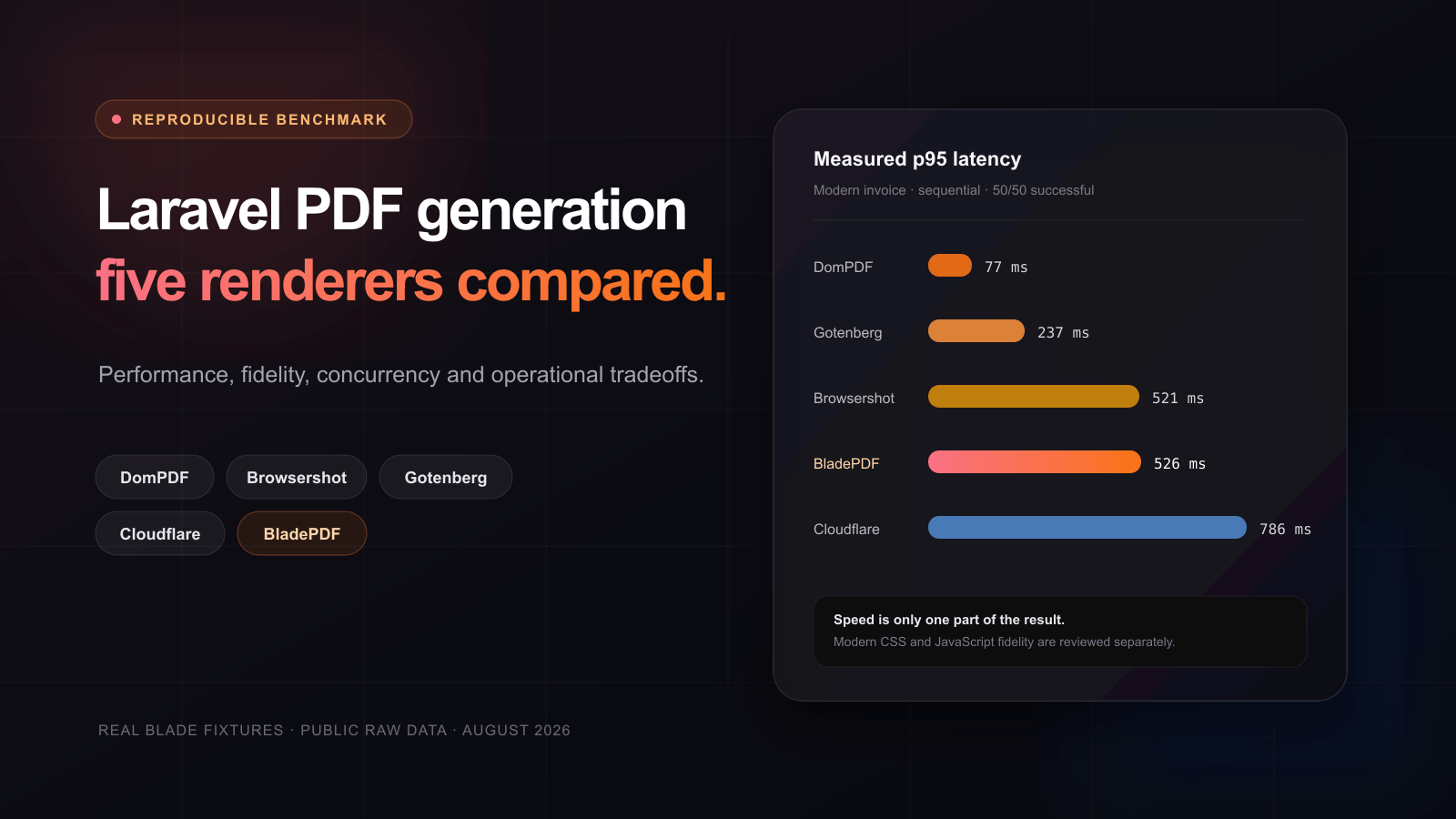
Laravel PDF benchmark: five renderers compared
See how five Laravel PDF renderers handle real Blade invoices, modern CSS, JavaScript, local assets, concurrency, memory and operational ownership.
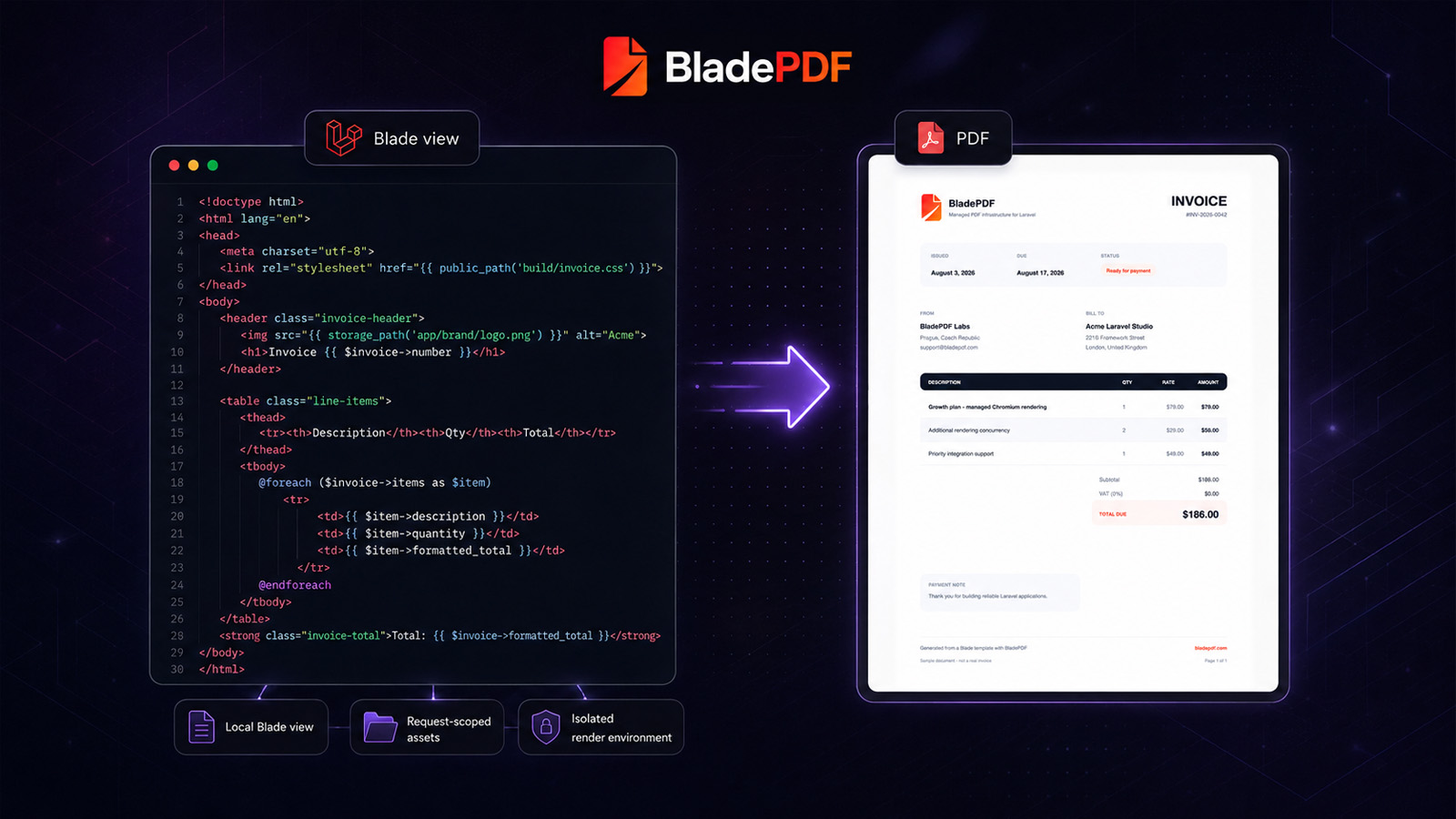
How to Generate PDFs from Laravel Blade Without Running Chromium
Build a production-ready invoice from an existing Blade view, understand how local assets reach the renderer, and decide when managed Chromium is the right tradeoff.
Keep the Laravel and Blade workflow. Move browser operations outside your application.
BladePDF manages Chromium capacity, isolation and asset transport while your application keeps control of its Blade views and data. Start with 200 renders per month for free.
Was this article helpful?
Your answer helps shape future technical guides.