How to Generate PDFs in Node.js with BladePDF
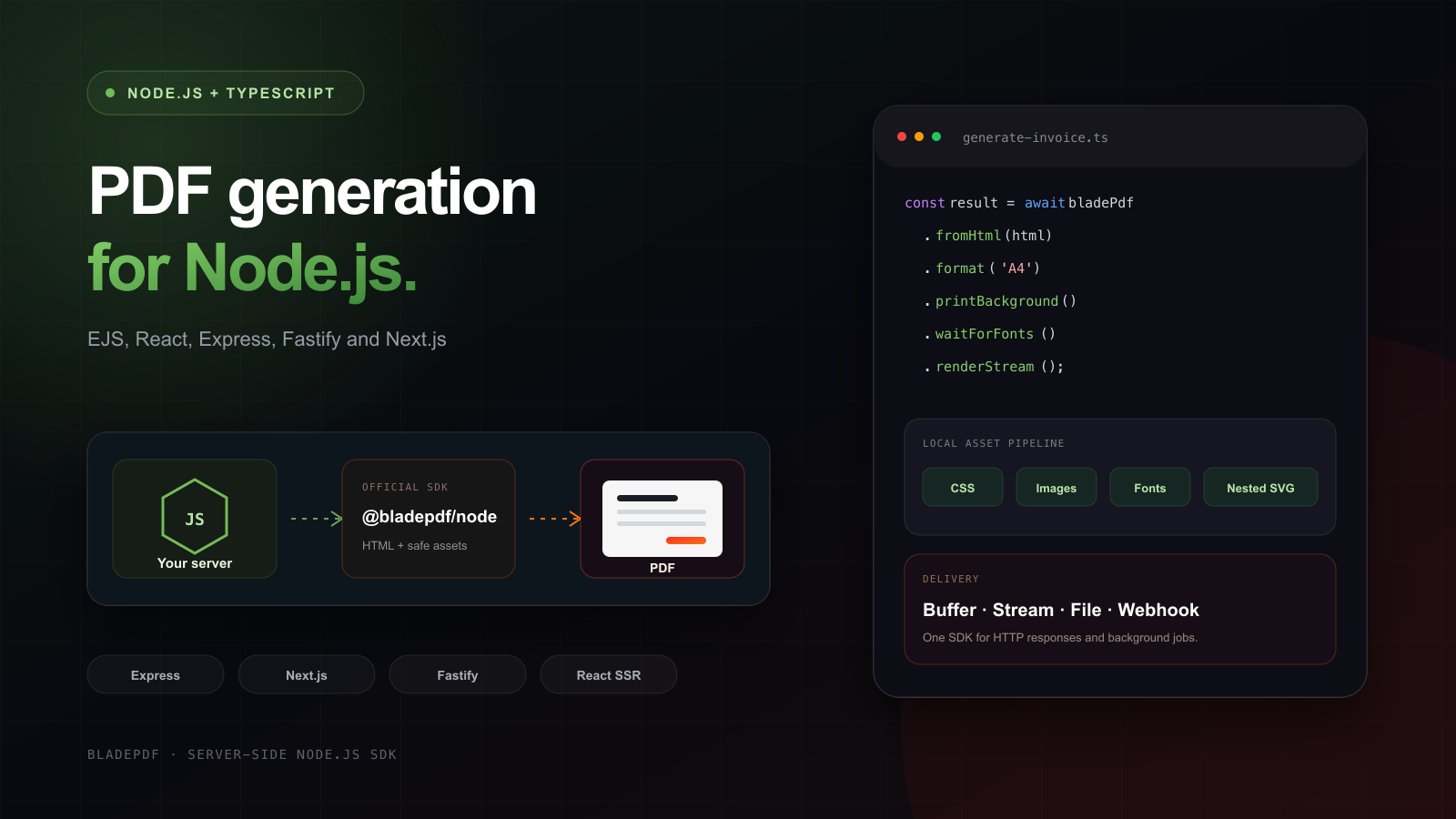
Build an EJS invoice with local CSS and images, save the PDF, then return it from Express, Fastify or Next.js. Includes the runnable TypeScript project, its generated PDF and a React template example.

On this page
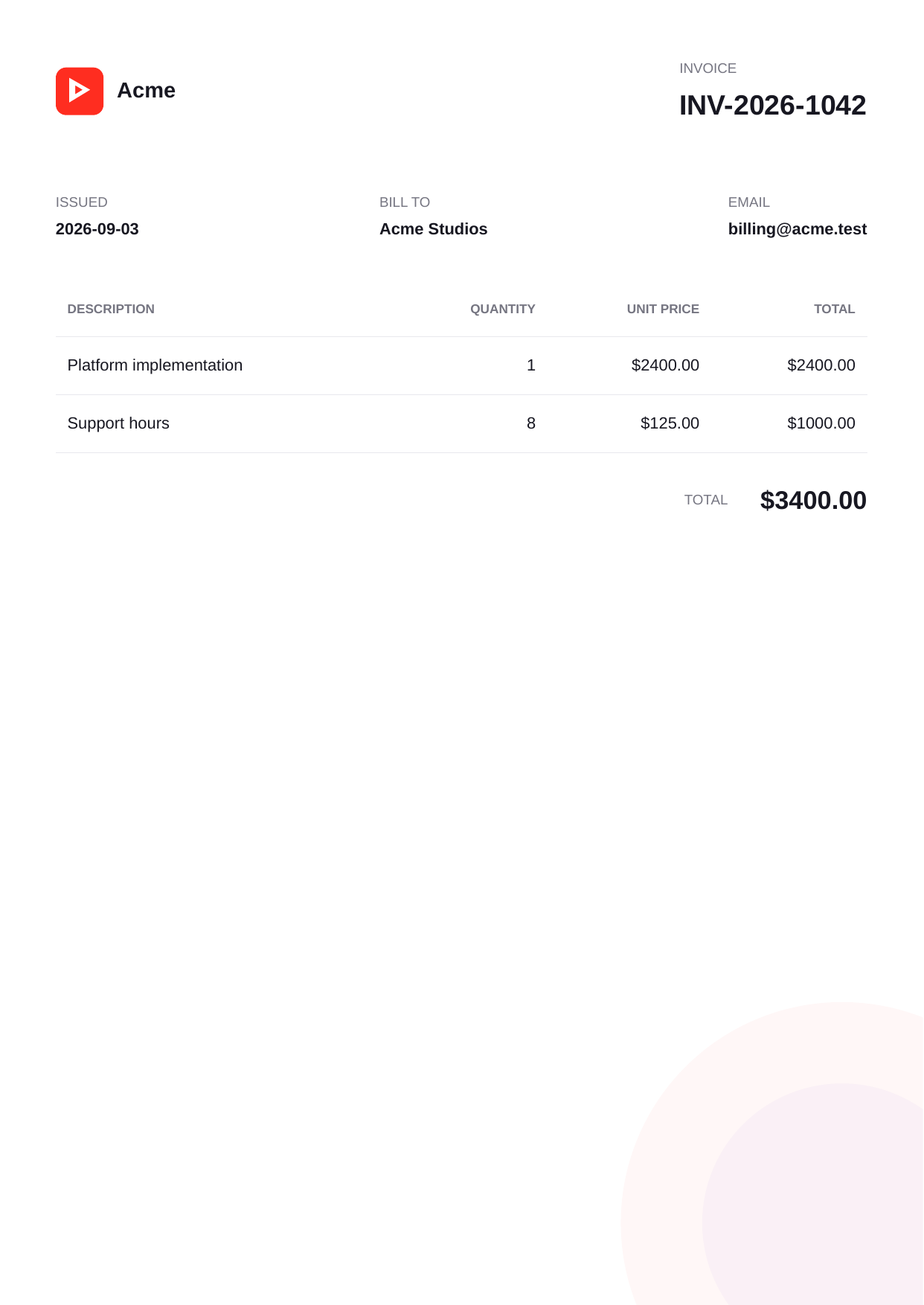
This tutorial follows one document: invoice INV-2026-1042, rendered from EJS with a local stylesheet, an SVG logo and a watermark referenced by CSS. You can open the generated PDF before writing any code, then reproduce it with the complete example project.
The application renders the template and sends the HTML through @bladepdf/node. BladePDF runs Chromium and returns the PDF. After the file-generation example, the guide shows how that same invoice becomes an Express download, a Fastify response or a Next.js Route Handler, and how to substitute a React template.
I develop BladePDF, and this guide uses its hosted API. Rendering sends your document HTML and attached assets to the service. If documents must stay inside your own network, the Puppeteer production guide covers operating the browser yourself.
Run the complete invoice example#
The download includes source code, assets, a package lock and the original PDF. From the directory containing the ZIP:
unzip nodejs-pdf-generation-example.zip
cd nodejs-pdf-generation
npm ci
npm run typecheck
npm test
export BLADEPDF_API_KEY='your-server-side-api-key'
npm run generate
The last command writes output/INV-2026-1042.pdf. It makes a real API request and requires a BladePDF account. The preceding checks do not use that key or consume a render.
The lock file pins @bladepdf/node 1.0.0, EJS 6.0.1 and React 19.2.8. npm test checks EJS and React output, attachment of the stylesheet and both SVG files, multipart transport, and result handling against a local HTTP stub. TypeScript checks the framework adapters; this is not an end-to-end test of a deployed Next.js application. The downloadable PDF is the separate real-render example from September 3, 2026.
The snippets below explain the individual steps. Where a block is shortened, its Download source link contains the imports, types and fixture data used by the complete project.
The architecture: your template stays in Node.js#
BladePDF does not replace EJS, React, Handlebars or your framework. Your application still loads data, applies authorization and renders the template. The SDK packages the resulting HTML with the local assets it is allowed to read; the managed API renders that document in Chromium and returns the PDF.
In this example, EJS runs before the SDK sees the document. BladePDF receives its output; it does not execute the template or query the application’s database. That also lets the offline test inspect the HTML before making a render request.
Install the official Node.js SDK#
The current SDK requires Node.js 22 or newer, supports ESM and CommonJS, and has no runtime dependencies. Install it in the server-side application that will generate PDFs:
npm install @bladepdf/node
The package intentionally does not load .env files. Read the key with your application’s existing configuration system and pass it explicitly:
BLADEPDF_API_KEY=your-server-side-api-key
import { BladePdf } from '@bladepdf/node';
import { publicRoot } from './paths.js';

export function createBladePdf(): BladePdf {
  const apiKey = process.env.BLADEPDF_API_KEY;

  if (!apiKey) {
    throw new Error('Missing BLADEPDF_API_KEY');
  }

  return new BladePdf({
    apiKey,
    timeoutMs: 60_000,
    retries: 1,
    retryDelayMs: 1_000,
    assets: {
      documentRoot: publicRoot,
      searchRoots: [publicRoot],
    },
  });
}
paths.ts resolves the project’s public and templates directories relative to the module, so running a worker from another working directory does not change which files it reads.
Never import
@bladepdf/nodeinto browser code. The package and API key belong in a server process, API route, worker or server action. A client-side key would let anyone spend your quota and submit arbitrary documents as your account.
For CommonJS, use the same named export:
const { BladePdf } = require('@bladepdf/node');

const bladePdf = new BladePdf({
  apiKey: process.env.BLADEPDF_API_KEY,
});
First PDF: render an HTML string#
Start with the smallest working render. render() buffers the completed PDF in memory, which is convenient for a short document or when another API expects a Buffer:
Save this standalone JavaScript example as hello-pdf.mjs beside package.json and run node hello-pdf.mjs after exporting the key:
import { writeFile } from 'node:fs/promises';
import { BladePdf } from '@bladepdf/node';

const apiKey = process.env.BLADEPDF_API_KEY;
if (!apiKey) throw new Error('Missing BLADEPDF_API_KEY');
const bladePdf = new BladePdf({ apiKey });

const result = await bladePdf
  .fromHtml(`
    <!doctype html>
    <html lang="en">
      <head><meta charset="utf-8"><title>Order ORD-1042</title></head>
      <body><h1>Order ORD-1042</h1><p>Ready for dispatch.</p></body>
    </html>
  `)
  .format('A4')
  .printBackground()
  .render();

await writeFile('order.pdf', result.pdf);
console.log(result.requestId);
result.pdf is a Node.js Buffer. The result also exposes save() and toBase64(), but avoid Base64 unless the next system explicitly requires it: encoding adds size and still holds the complete file in memory.
Build a real invoice with EJS#
Production documents usually combine a template with application data. The SDK stays template-engine agnostic, so render EJS normally and pass the resulting string to fromHtml().
import { readFile } from 'node:fs/promises';
import { join } from 'node:path';
import ejs from 'ejs';
import { templatesRoot } from './paths.js';

export async function renderInvoiceHtml(invoice: Invoice): Promise<string> {
  const template = await readFile(
    join(templatesRoot, 'invoice.ejs'),
    'utf8',
  );
  const total = invoice.lines.reduce(
    (sum, line) => sum + line.quantity * line.unitPrice,
    0,
  );

  return ejs.render(template, { invoice, total });
}
The EJS document references a stylesheet and logo with ordinary root-relative URLs:
<!doctype html>
<html lang="en">
  <head>
    <meta charset="utf-8" />
    <title>Invoice <%= invoice.number %></title>
    <link rel="stylesheet" href="/styles/invoice.css" />
  </head>
  <body>
    <header class="invoice-header">
      <img src="/images/logo.svg" alt="Acme" />
      <div><span>Invoice</span><h1><%= invoice.number %></h1></div>
    </header>

    <table>
      <tbody>
        <% invoice.lines.forEach((line) => { %>
          <tr>
            <td><%= line.description %></td>
            <td><%= line.quantity %></td>
            <td>$<%= (line.quantity * line.unitPrice).toFixed(2) %></td>
          </tr>
        <% }) %>
      </tbody>
    </table>
  </body>
</html>
Then apply PDF options and stream the completed response atomically to a file:
import { mkdir } from 'node:fs/promises';
import { join } from 'node:path';
import { createBladePdf } from './bladepdf.js';
import { exampleInvoice, renderInvoiceHtml } from './invoice.js';
import { projectRoot, templatesRoot } from './paths.js';

const outputDirectory = join(projectRoot, 'output');
await mkdir(outputDirectory, { recursive: true });

const html = await renderInvoiceHtml(exampleInvoice);

const result = await createBladePdf()
  .fromHtml(html, { baseDirectory: templatesRoot })
  .format('A4')
  .margins({ top: 16, right: 14, bottom: 18, left: 14, unit: 'mm' })
  .printBackground()
  .emulateMedia('print')
  .waitForFonts()
  .reference(exampleInvoice.number)
  .templateName('Node.js invoice')
  .renderToFile(join(outputDirectory, `${exampleInvoice.number}.pdf`));

console.log(result.requestId);
reference() gives the render your own searchable business identifier; templateName() supplies a human-readable label in BladePDF. Neither changes the document content.
Inspect the generated invoice#
The invoice below was generated from the downloadable TypeScript project with the public @bladepdf/node package.
Use the exact project behind this guide
It includes EJS, Express, Fastify, Next.js-style route handlers, React SSR, background webhooks, TypeScript checks and local asset fixtures.
Download the complete Node.js exampleTypeScript source, template, assets and package lock Open the generated PDFHow local images, CSS and fonts reach Chromium#
A remote browser cannot read /srv/app/public/images/logo.svg from your server. Turning that path into a public URL works only when the renderer can access that URL, the asset is deployed, authentication permits it, and the hostname resolves from the render environment.
The Node.js SDK instead has an opt-in asset resolver. It scans supported HTML and CSS references, reads only files inside configured roots, attaches them to the multipart render request, and rewrites the document to internal asset URLs before rendering.
const bladePdf = new BladePdf({
  apiKey,
  assets: {
    documentRoot: '/srv/app/public',
    searchRoots: ['/srv/app/public', '/srv/app/storage/pdf-assets'],
    localHosts: ['app.internal', 'localhost'],
  },
});
Automatic filesystem access is disabled until you configure at least one root. Canonical files must stay inside those roots; traversal and symlink escapes are rejected. This keeps a malicious or mistaken template reference such as ../../.env from becoming a render attachment.
The resolver understands common HTML references (src, href, poster, srcset, data-src), inline styles, <style>, CSS url() and nested @import. It intentionally does not inspect JavaScript imports, runtime fetch() calls or dependencies hidden inside an SVG file. Attach generated or exceptional assets explicitly:
const render = bladePdf
  .fromHtml(reportHtml, { baseDirectory: '/srv/app/templates/reports' })
  .assetData(chartPngBuffer, {
    target: 'charts/revenue.png',
    mimeType: 'image/png',
  })
  .assetFile('/srv/tenants/acme/signature.svg', {
    target: 'tenant/signature.svg',
  });

const result = await render.render();
The sample is useful for checking a less obvious case: invoice.css references watermark.svg, so attaching only the logo is insufficient. The offline test checks that the CSS dependency is included too. An SVG referencing another file internally is different: the resolver does not traverse the SVG’s contents.
Use narrow, deliberate roots. Pointing documentRoot at the whole repository weakens the boundary and makes accidental file inclusion harder to review.
Return a PDF from Express without buffering it#
For a direct browser download, a stream avoids holding the whole PDF in application memory. renderStream() returns a one-shot Node.js Readable; always consume it or destroy it.
import { pipeline } from 'node:stream/promises';
import type { NextFunction, Request, Response } from 'express';

export async function downloadInvoice(
  _request: Request,
  response: Response,
  next: NextFunction,
): Promise<void> {
  try {
    const html = await renderInvoiceHtml(exampleInvoice);
    const result = await createBladePdf()
      .fromHtml(html, { baseDirectory: templatesRoot })
      .format('A4')
      .printBackground()
      .reference(exampleInvoice.number)
      .renderStream();

    response.set({
      'Content-Type': 'application/pdf',
      'Content-Disposition': `attachment; filename="${exampleInvoice.number}.pdf"`,
    });

    await pipeline(result.stream, response);
  } catch (error) {
    next(error);
  }
}
Do not call response.send(result.stream): depending on the framework, that may serialize the stream object or bypass backpressure. Node’s pipeline() forwards stream failures and cleans up the pipe.
If the client disconnects frequently, connect the request’s abort or close lifecycle to an AbortController and pass its signal to renderStream({ signal }) so abandoned requests do not continue consuming render capacity.
Generate PDFs in Fastify#
Fastify can send the SDK’s Readable directly. Set the MIME type and a safe, application-controlled filename before returning it:
export function registerPdfRoutes(app: FastifyInstance): void {
  app.get('/invoices/:id.pdf', async (_request, reply) => {
    const html = await renderInvoiceHtml(exampleInvoice);
    const result = await createBladePdf()
      .fromHtml(html, { baseDirectory: templatesRoot })
      .format('A4')
      .printBackground()
      .renderStream();

    return reply
      .type('application/pdf')
      .header(
        'Content-Disposition',
        `attachment; filename="${exampleInvoice.number}.pdf"`,
      )
      .send(result.stream);
  });
}
In a real route, load the invoice by request.params.id only after authorizing the current user. PDF endpoints often expose more customer and billing data than ordinary screens, so treat them as data-export endpoints rather than harmless formatting routes.
Generate PDFs in a Next.js Route Handler#
@bladepdf/node is server-only, so a Next.js route must use the Node.js runtime. Buffer delivery is the most portable bridge from the SDK’s Buffer to the Web Response API:
export const runtime = 'nodejs';

export async function POST(request: Request): Promise<Response> {
  const invoice = (await request.json()) as Invoice;
  const html = await renderInvoiceHtml(invoice);
  const result = await createBladePdf()
    .fromHtml(html, { baseDirectory: templatesRoot })
    .format('A4')
    .printBackground()
    .reference(invoice.number)
    .render();

  return new Response(new Uint8Array(result.pdf), {
    headers: {
      'Content-Type': 'application/pdf',
      'Content-Disposition': `attachment; filename="${invoice.number}.pdf"`,
    },
  });
}
Validate the request body and resolve the real invoice server-side instead of trusting prices or customer data sent by the browser. Also remember that buffering counts against both your function memory and any response-size limits imposed by the hosting platform. For large reports, submit a background render and return a job identifier instead.
Render React to PDF on the server#
BladePDF renders HTML, not a React component tree. Use React’s server renderer first, then submit the static markup exactly like EJS output:
import { renderToStaticMarkup } from 'react-dom/server';

function InvoiceDocument({ invoice }: { invoice: Invoice }) {
  return (
    <html lang="en">
      <head>
        <meta charSet="utf-8" />
        <link rel="stylesheet" href="/styles/invoice.css" />
      </head>
      <body>
        <h1>Invoice {invoice.number}</h1>
        <p>Bill to: {invoice.customer.name}</p>
      </body>
    </html>
  );
}

const html = `<!doctype html>${renderToStaticMarkup(
  <InvoiceDocument invoice={invoice} />,
)}`;

const result = await bladePdf.fromHtml(html).format('A4').render();
Use renderToStaticMarkup() for a document that does not need hydration. If the document requires client-side chart rendering or layout JavaScript, include the browser script intentionally and pair it with waitForFunction() or an appropriate waitUntil() condition. Server-rendering all deterministic content is usually faster and produces fewer timing failures.
What about Handlebars, Pug and Nunjucks?#
They follow the same two-step contract:
| Template source | Render inside Node.js | Send to BladePDF |
|---|---|---|
| EJS | ejs.render(template, data) |
fromHtml(html) |
| Handlebars | compiledTemplate(data) |
fromHtml(html) |
| Pug | pug.renderFile(path, data) |
fromHtml(html) |
| Nunjucks | nunjucks.render(path, data) |
fromHtml(html) |
| React SSR | renderToStaticMarkup(element) |
fromHtml(html) |
This separation is useful: template rendering remains easy to unit-test without an API request, while one smaller integration test verifies the complete HTML-to-PDF path.
Choose the right delivery method#
The PDF content is identical; the difference is how it travels back to your application and how much work remains inside the original request.
| Method | Returns | Best fit | Memory and lifecycle |
|---|---|---|---|
render() |
RenderResult with Buffer |
Short PDFs, email attachments, object-storage SDKs | Buffers the complete PDF |
renderStream() |
One-shot Node Readable |
Express/Fastify HTTP download | Streams with backpressure; must be consumed |
renderToFile(path) |
File result | CLI, worker or durable local artifact | Atomic temporary-file replacement |
storePdf().submit() |
Background submission | Slow reports, batch work, serverless limits | Returns before rendering finishes; requires webhook/polling |
renderToFile() does more than writeFile(await render().pdf): it streams through a temporary sibling file and replaces the destination only after the complete response arrives. That prevents a partial PDF from appearing at the final path after a network failure.
Every delivery method accepts an AbortSignal, so cancellation can be consistent across a web request, worker timeout and application shutdown.
Control layout and page readiness#
Browser-quality output still requires print-aware HTML. Start with explicit paper size, margins and print background, then control the moment at which the page is ready to print:
const result = await bladePdf
  .fromHtml(reportHtml)
  .paperSize({ width: 210, height: 297, unit: 'mm' })
  .margins({ top: 15, right: 12, bottom: 15, left: 12, unit: 'mm' })
  .printBackground()
  .emulateMedia('print')
  .waitUntil('networkidle0')
  .waitForFonts()
  .headerHtml('<div class="pdf-header">Quarterly report</div>')
  .footerHtml('<div class="pdf-footer"><span class="pageNumber"></span></div>')
  .render();
Use @page and print media rules in the document itself for repeatable layout:
@page {
  size: A4;
  margin: 16mm 14mm 18mm;
}

@media print {
  .screen-only { display: none !important; }
  .avoid-break { break-inside: avoid; }
  table thead { display: table-header-group; }
}
Avoid adding long arbitrary delays “just in case.” Prefer a precise readiness condition for dynamic content and keep external network dependencies out of the render when they can be attached as local assets.
Move long renders into the background#
An HTTP request is a poor place to wait for a 200-page report. Background submission accepts the job quickly, stores the final PDF and reports completion through a signed webhook:
const submission = await createBladePdf()
  .fromHtml(html, { baseDirectory: templatesRoot })
  .reference(invoice.number)
  .storePdf()
  .webhook({
    url: 'https://billing.example.com/webhooks/bladepdf',
    secret: process.env.BLADEPDF_WEBHOOK_SECRET!,
    events: ['pdf.rendered', 'pdf.failed'],
  })
  .submit();

console.log(submission.requestId);
storePdf() is required for background renders because there is no open response in which to return the PDF bytes. Persist the request ID with your own report record so retries and support investigations can connect application state to the render.
Verify the webhook before parsing JSON#
Signature verification must receive the exact raw request bytes. In Express, register the raw-body route before a global express.json() middleware:
import { verifyWebhookSignature } from '@bladepdf/node';
import express from 'express';

app.post(
  '/webhooks/bladepdf',
  express.raw({ type: 'application/json' }),
  (request, response) => {
    const valid = verifyWebhookSignature({
      rawBody: request.body,
      timestamp: request.header('bladepdf-timestamp'),
      signature: request.header('bladepdf-signature'),
      secret: process.env.BLADEPDF_WEBHOOK_SECRET!,
    });

    if (!valid) {
      response.sendStatus(401);
      return;
    }

    const event = JSON.parse(request.body.toString('utf8'));
    queueWebhook(event);
    response.sendStatus(204);
  },
);
Return quickly after durable acceptance. Process slow business logic in your own queue, and make the handler idempotent because any reliable webhook delivery system may retry an event.
Handle timeouts, retries and errors explicitly#
Client configuration and caller cancellation solve different problems. timeoutMs limits each SDK request. An AbortSignal lets your application cancel the whole operation based on its own deadline or shutdown lifecycle.
import { BladePdfError, RenderFailedError } from '@bladepdf/node';

const controller = new AbortController();
const timeout = setTimeout(() => controller.abort(), 45_000);

try {
  const result = await render.render({ signal: controller.signal });
  return result.pdf;
} catch (error) {
  if (error instanceof RenderFailedError) {
    console.error('BladePDF render failed', {
      status: error.statusCode,
      requestId: error.requestId,
    });
  } else if (error instanceof BladePdfError) {
    console.error('BladePDF SDK error', error.message);
  }

  throw error;
} finally {
  clearTimeout(timeout);
}
The SDK retries network failures and transient HTTP 429, 502, 503 and 504 responses; it respects Retry-After. It does not retry validation and authentication failures that will not improve on another attempt. Keep the retry count bounded, use your own stable reference, and log the BladePDF request ID without logging document HTML or customer data.
BladePDF or local Puppeteer/Playwright?#
There is no universally correct Node.js PDF renderer. Choose the operational boundary that matches the application.
Use Puppeteer or Playwright locally when you need offline rendering, control of the exact browser binary and flags, browser automation beyond printing, or a security policy that forbids sending the document to a managed API. In return, your team owns Chrome installation, sandboxing, fonts, process cleanup, memory limits, queue capacity and browser upgrades.
Use BladePDF when the output needs Chromium fidelity but the application should not operate Chromium. It is especially useful for ordinary backend services and serverless deployments that already produce complete HTML, need predictable Buffer/stream/file APIs, or would otherwise build a dedicated browser worker service.
If your templates only use a conservative subset of HTML/CSS and browser-level layout is unnecessary, a non-browser PDF library can be smaller and fully in-process. Test your hardest real document before committing to an architecture—not only a “Hello world” page.
Troubleshoot the invoice example#
| Symptom | What to check first |
|---|---|
Missing BLADEPDF_API_KEY |
Export the variable in the shell running the command. The SDK does not load .env itself. |
| EJS cannot find the template | Keep templates beside the example’s package.json. Include it in the deployed worker or function bundle. |
| The PDF has text but no logo or styling | Check that publicRoot points to the deployed files. /styles/invoice.css is resolved against documentRoot, not against the API hostname. |
| A CSS background is missing | Check the referenced file as well as printBackground(). The watermark in this example is a CSS dependency. |
| A Next.js build includes filesystem or SDK code in the browser | Import the client only from server code and use the Node.js runtime for the route. |
| The browser downloads JSON or a damaged file | Return PDF bytes or pipe the stream; remove debug output and inspect the error response before treating it as a PDF. |
Production checklist#
- Validate and authorize document requests before loading sensitive data.
- Package templates and assets with the deployed server, and keep the key in server-side configuration.
- Use a stream for direct downloads and a background job for slow or large reports.
- Add a caller deadline with
AbortSignaland keep SDK retries bounded. - Verify webhook signatures against raw bytes and process events idempotently.
- Keep a visual regression fixture for the most complex production template.
Continue reading

Puppeteer PDF in production
Fix the failures that appear after the first Puppeteer PDF works: too many active pages, leaked contexts, browser disconnects and missing assets. Includes a tested concurrency gate and a deployment checklist.
Generate PDFs in PHP with BladePDF
Turn a Twig invoice into a PDF, attach its CSS and logo, and return the binary response from plain PHP, Symfony or Slim. Download the Composer project and the PDF it generated.
Laravel Browsershot in production
See what it takes to run Browsershot reliably in production—from Chromium and Docker to queue capacity, memory, assets, security, and persistent browsers.
Replace the sample invoice with your EJS or React template.
Start with the downloadable project, configure the directories containing your assets, and compare the generated PDF with the layout you expect.
Was this article helpful?
Your answer helps shape future technical guides.