How to Generate PDFs in PHP with BladePDF
Turn a Twig invoice into a PDF, attach its CSS and logo, and return the binary response from plain PHP, Symfony or Slim. Download the Composer project and the PDF it generated.

On this page
You have a Twig invoice and need a download endpoint. There are two separate jobs: produce the PDF, then return its bytes without a PHP warning, debug toolbar or response wrapper corrupting the file. This guide implements both with bladepdf/php.
The example is invoice INV-2026-2042: a Twig template, a local stylesheet and an SVG logo. It produces this PDF. The same InvoicePdf service is used by a CLI command, a Symfony controller and a PSR-7 action; the response code changes, but the document does not.
I develop BladePDF. Its PHP SDK sends HTML and attached assets to the hosted rendering service, which runs Chromium. This tutorial covers that integration; choose a local renderer if the document cannot leave your infrastructure. For Laravel’s Blade views and response helpers, use the Laravel package.
Run the Composer example#
Download the complete PHP example. This ZIP contains the project files at its root; extract it into a new directory:
unzip php-pdf-generation-example.zip -d php-pdf-generation
cd php-pdf-generation
composer install
php -d zend.assertions=1 -d assert.exception=1 tests/verify.php
export BLADEPDF_API_KEY='your-server-side-api-key'
php bin/generate-invoice.php
The final command writes output/INV-2026-2042.pdf and consumes a real render. The verification command uses Guzzle’s mock transport and needs no API key. Assertions are explicitly enabled so a PHP configuration with production defaults cannot silently skip the checks.
The download pins bladepdf/php 1.0.0 in composer.lock. Its offline suite renders Twig, inspects the multipart assets, exercises Symfony and PSR-7 response objects, and checks valid and tampered webhook signatures. It does not boot a complete Symfony or Slim application. The linked PDF was generated separately through the API on September 3, 2026.
The examples below walk through that project. Shortened class and controller excerpts link to their complete source files.
How PHP HTML-to-PDF generation works#
BladePDF does not replace Twig, Symfony, Slim or your domain layer. Your application still loads the invoice, checks authorization, formats money and renders the template. The PHP SDK packages that final HTML, PDF options and only the local assets it is permitted to read. The BladePDF API returns the generated PDF or accepts an asynchronous job.
The PHP SDK returns synchronous output as a binary string. That matters when sizing a PHP worker: returning the string through a framework response does not turn the upstream request into a streaming render. The delivery examples below retain this distinction.
Install the official PHP SDK with Composer#
The SDK requires PHP 8.2 or newer, ext-json, ext-fileinfo and a PSR-compatible HTTP stack provided by Guzzle. Install the current stable release from Packagist:
composer require bladepdf/php
The package deliberately does not read .env or global framework configuration. Read credentials with the configuration layer you already trust, then pass the value explicitly:
BLADEPDF_API_KEY=your-server-side-api-key
The key belongs in the PHP process environment or your framework’s secret configuration. With the shell commands above, read it using getenv('BLADEPDF_API_KEY'); do not assume $_ENV is populated by every PHP configuration.
Create one configured BladePDF client#
In a real application, configure the SDK once in your service container or composition root. The factory below sets explicit transport behavior and restricts automatic asset discovery to the project’s public directory:
<?php

declare(strict_types=1);

namespace BladePdfGuide;

use BladePDF\Assets\AssetResolverOptions;
use BladePDF\BladePdf;
use BladePDF\Client\ClientOptions;
use RuntimeException;

final class BladePdfFactory
{
    public static function create(string $projectRoot): BladePdf
    {
        $apiKey = getenv('BLADEPDF_API_KEY');

        if (! is_string($apiKey) || trim($apiKey) === '') {
            throw new RuntimeException('Missing BLADEPDF_API_KEY.');
        }

        $publicRoot = $projectRoot.'/public';

        return BladePdf::create(
            apiKey: $apiKey,
            clientOptions: new ClientOptions(
                timeout: 60,
                connectTimeout: 10,
                retryTimes: 1,
                retrySleepMilliseconds: 1000,
            ),
            assetOptions: new AssetResolverOptions(
                documentRoot: $publicRoot,
                searchRoots: [$publicRoot],
            ),
        );
    }
}
retryTimes: 1 means one retry after the initial attempt. The SDK retries connection failures and HTTP 429, 502, 503 and 504; it respects Retry-After when present and otherwise uses exponential delay. Authentication, validation, payload and plan-limit errors are intentionally not retried blindly.
If your framework has a dependency injection container, register this configured BladePdf instance as a shared service. Do not build a new client in every controller method.
Generate your first PDF from an HTML string#
For a standalone script, Composer’s autoloader must be required explicitly. Save this as hello-pdf.php beside composer.json, export the key, and run php hello-pdf.php:
<?php

use BladePDF\BladePdf;

require __DIR__.'/vendor/autoload.php';

$apiKey = getenv('BLADEPDF_API_KEY');

if (! is_string($apiKey) || $apiKey === '') {
    throw new RuntimeException('Missing BLADEPDF_API_KEY.');
}

$bladePdf = BladePdf::create($apiKey);

$result = $bladePdf
    ->fromHtml(<<<'HTML'
        <!doctype html>
        <html lang="en">
          <head><meta charset="utf-8"><title>Order ORD-1042</title></head>
          <body><h1>Order ORD-1042</h1><p>Ready for dispatch.</p></body>
        </html>
        HTML)
    ->format('A4')
    ->showBackground()
    ->render();

$result->save(__DIR__.'/order.pdf');
echo $result->requestId();
render() returns a RenderResult. Its pdf() method returns the raw PDF as a PHP binary string, save($path) writes it to disk and throws if the complete file could not be written, and base64() is available for systems that explicitly require Base64. Avoid Base64 for an ordinary download: it increases payload size and still keeps the complete PDF in memory.
Generate a real PDF invoice with Twig#
Production documents normally combine application data with a template. The SDK is intentionally template-engine agnostic, so render Twig as usual and pass the resulting HTML to fromHtml():
<?php

declare(strict_types=1);

namespace BladePdfGuide;

use BladePDF\BladePdf;
use BladePDF\RenderResult;
use Twig\Environment;

final readonly class InvoicePdf
{
    public function __construct(
        private BladePdf $bladePdf,
        private Environment $twig,
        private string $publicRoot,
    ) {
    }

    /** @param array<string, mixed> $invoice */
    public function render(array $invoice): RenderResult
    {
        $html = $this->twig->render('invoice.html.twig', [
            'invoice' => $invoice,
        ]);

        return $this->bladePdf
            ->fromHtml($html, $this->publicRoot)
            ->format('A4')
            ->margins(0, 0, 0, 0, 'mm')
            ->showBackground()
            ->emulateMedia('print')
            ->waitForFonts()
            ->reference((string) $invoice['number'])
            ->templateName('PHP SDK invoice')
            ->render();
    }
}
The Twig document uses ordinary root-relative URLs for its stylesheet and logo:
<!doctype html>
<html lang="en">
<head>
    <meta charset="utf-8">
    <title>Invoice {{ invoice.number }}</title>
    <link rel="stylesheet" href="/styles/invoice.css">
</head>
<body>
    <main class="invoice">
        <header class="invoice-header">
            <div class="brand">
                <img src="/images/northstar-mark.svg" alt="">
                <strong>NORTHSTAR</strong>
            </div>
            <div class="invoice-title">
                <span>Invoice</span>
                <h1>{{ invoice.number }}</h1>
                <p>Issued {{ invoice.issued_at }}</p>
            </div>
        </header>

        <table>
            {% for item in invoice.items %}
                <tr>
                    <td>{{ item.description }}</td>
                    <td>{{ item.quantity }}</td>
                    <td>${{ (item.quantity * item.unit_price)|number_format(2, '.', ',') }}</td>
                </tr>
            {% endfor %}
        </table>
    </main>
</body>
</html>
reference() attaches your own searchable business identifier to the render, while templateName() supplies a readable label in BladePDF. Neither value is printed into the PDF unless your HTML also displays it.
A real PDF generated by the PHP SDK#
The invoice below was generated from the downloadable Composer project with the public bladepdf/php v1.0.0 package and the BladePDF API. The output is a tagged, single-page A4 PDF produced by Chromium; the example includes Twig, external CSS and a nested local SVG asset.
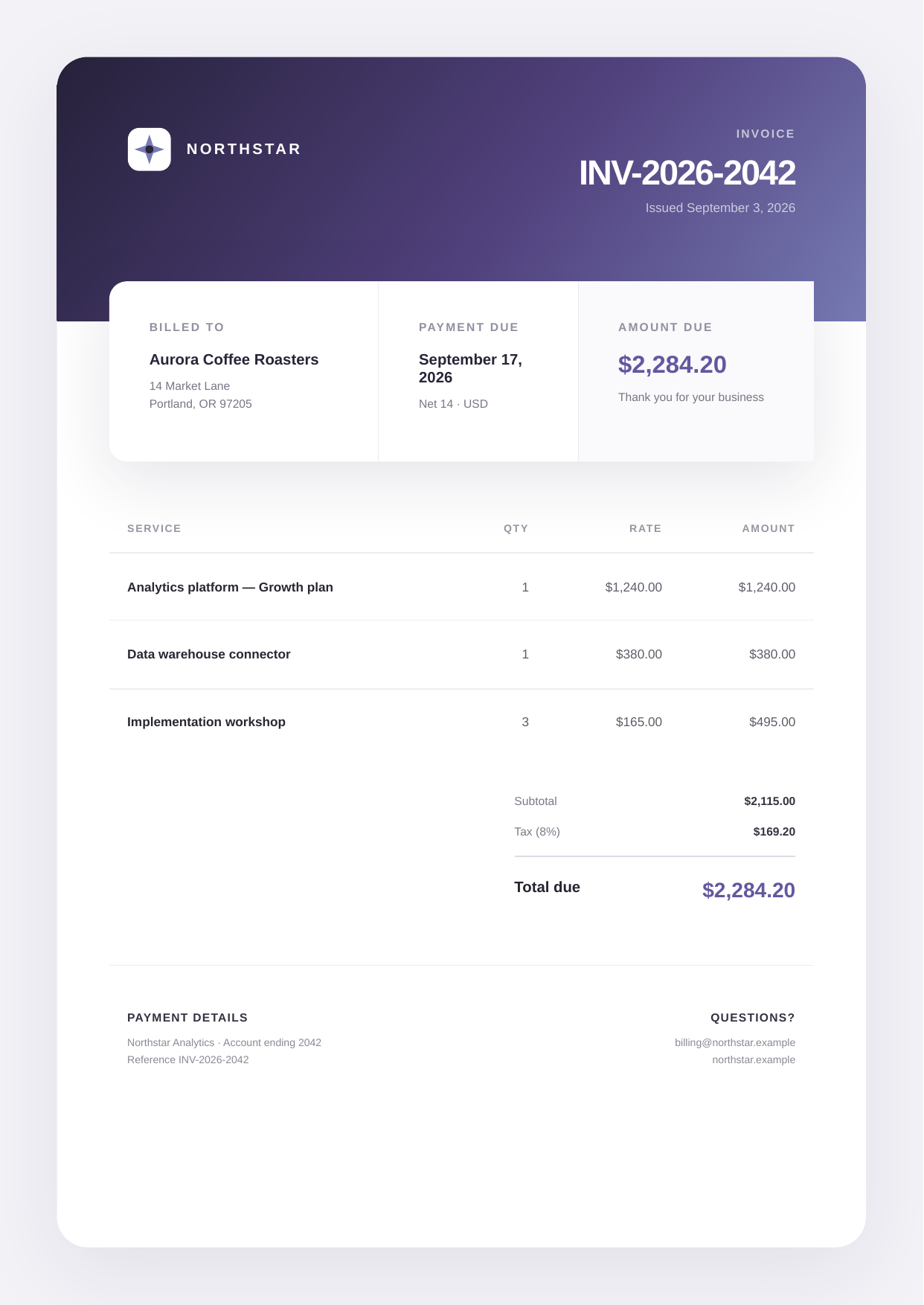
Inspect the template and its output
The download contains Composer lock data, the complete Twig template and CSS, plain PHP, Symfony and PSR-7 response examples, async webhook code, and an offline verification suite.
Download the complete PHP exampleComposer project, Twig template, assets and lock file Open the generated PDFHow local CSS, images and fonts reach the renderer#
An HTML string alone cannot carry /styles/invoice.css, a logo on disk or a self-hosted font. The PHP SDK can discover those dependencies, attach their bytes to the multipart request and rewrite references so the renderer loads the uploaded files.
Automatic discovery is off until you grant filesystem roots. This is deliberate. A PDF template must not be able to turn ../../.env or an unexpected symlink into an uploaded asset.
use BladePDF\Assets\AssetResolverOptions;
use BladePDF\BladePdf;

$bladePdf = BladePdf::create(
    apiKey: $apiKey,
    assetOptions: new AssetResolverOptions(
        documentRoot: __DIR__.'/public',
        searchRoots: [__DIR__.'/public', __DIR__.'/var/pdf-assets'],
        localHosts: ['app.example.test'],
    ),
);
The resolver canonicalizes every located file with realpath() and requires it to remain inside an allowed root. It rejects traversal, absolute paths outside the roots, file:// escapes and symlinks that leave a root. documentRoot maps URL paths such as /images/logo.svg; ordered searchRoots resolve relative references; and localHosts lets URLs for your own application map back to the document root instead of being treated as remote.
For a single file outside automatic roots, grant access intentionally:
$result = $bladePdf
    ->fromHtml('<img src="asset:///tenant-logo.png" alt="">')
    ->withAsset($approvedLogoPath, 'tenant-logo.png', 'image/png')
    ->render();
The resolver follows HTML and CSS dependencies, including nested CSS imports and font or image URLs. It uploads a file referenced by <script src> or an external SVG URL, but it does not execute or inspect JavaScript imports, fetch() calls, runtime-created URLs or dependencies embedded inside an SVG. Attach those files explicitly or make them reachable through an approved remote URL.
In the fixture, /styles/invoice.css maps to public/styles/invoice.css, and /images/northstar-mark.svg maps to public/images/northstar-mark.svg. If the plain HTML renders but the designed invoice does not, check these two resolved paths first. A path that exists on a development machine may be absent from a deployment artifact.
Return a PDF from plain PHP#
For native PHP, send binary-safe headers before writing the result. Make sure no whitespace, warning or debug toolbar is emitted first:
$result = $invoicePdf->render($invoice);

header('Content-Type: application/pdf');
header('Content-Disposition: attachment; filename="invoice.pdf"');
header('Content-Length: '.strlen($result->pdf()));

echo $result->pdf();
exit;
For larger synchronous PDFs, remember that pdf() is an in-memory string. The network response from BladePDF and your application response are not exposed as a streaming API by the current PHP SDK. If holding the whole file in PHP memory is undesirable, prefer an asynchronous stored render rather than presenting a buffered response as a stream.
Return a PDF from Symfony#
Symfony’s Response accepts the binary string directly. A small controller can return the PDF and optionally expose the BladePDF request ID for operational debugging:
use Symfony\Component\HttpFoundation\Response;

public function __invoke(): Response
{
    $result = $this->invoicePdf->render(ExampleInvoice::data());

    return new Response($result->pdf(), Response::HTTP_OK, [
        'Content-Type' => 'application/pdf',
        'Content-Disposition' => 'attachment; filename="invoice.pdf"',
        'X-BladePDF-Request-Id' => $result->requestId() ?? '',
    ]);
}
Use Symfony’s existing service container to inject the shared InvoicePdf service. Authorization and invoice lookup should happen before render submission, just as they would for an HTML endpoint.
Use BladePDF with Slim, Mezzio or another PSR-7 framework#
Slim, Mezzio and other PSR-7 stacks differ in routing and dependency injection but agree on the response contract. Write the binary bytes to the response body, then return a new response with PDF headers:
use Psr\Http\Message\ResponseInterface;

public function __invoke(ResponseInterface $response): ResponseInterface
{
    $result = $this->invoicePdf->render(ExampleInvoice::data());
    $response->getBody()->write($result->pdf());

    return $response
        ->withHeader('Content-Type', 'application/pdf')
        ->withHeader('Content-Disposition', 'attachment; filename="invoice.pdf"')
        ->withHeader('X-BladePDF-Request-Id', $result->requestId() ?? '');
}
This action was tested with slim/psr7, but it depends only on Psr\Http\Message\ResponseInterface; the same pattern works with any writable PSR-7 response body.
Use Twig, Latte, Plates or native PHP templates#
There is no BladePDF-specific template syntax. Render the template to one final HTML string first:
| Template source | What your application passes to BladePDF | Typical use |
|---|---|---|
| Twig | $twig->render('invoice.html.twig', $data) |
Symfony and framework-agnostic applications |
| Latte | $latte->renderToString('invoice.latte', $data) |
Nette and standalone Latte projects |
| Plates | $templates->render('invoice', $data) |
Native-PHP templates without a compiler |
| Native PHP | output buffering around require $template |
Small applications and legacy systems |
| Cloud template | fromTemplate($templateId, $context) |
Templates managed centrally in BladePDF |
Keep business rules out of the template where possible. Compute permissions, totals, tax and locale-aware values before rendering; let the template focus on document structure and presentation.
Choose the right PDF delivery method#
The PHP SDK exposes three distinct delivery shapes:
| Requirement | API | Memory and lifecycle |
|---|---|---|
| Return bytes in this request | render()->pdf() |
Complete PDF is held as a PHP string |
| Save a synchronous result | render()->save($path) |
Complete result is received, then safely written |
| Send PDF to another JSON API | render()->base64() |
Complete result plus Base64 size overhead |
| Do not wait for rendering | storePdf()->webhook(...)->async() |
Request receives a job ID; stored result arrives later |
Use synchronous rendering for interactive invoices, labels or certificates that complete within your normal request budget. Use asynchronous rendering for large reports, batches, scheduled exports or workflows in which the user does not need an immediate download.
PDF options, print CSS and document readiness#
The fluent builder keeps common PDF and browser settings explicit:
$result = $bladePdf
    ->fromHtml($html, __DIR__.'/public')
    ->format('A4')
    ->margins(14, 12, 16, 12, 'mm')
    ->showBackground()
    ->emulateMedia('print')
    ->waitForFonts()
    ->taggedPdf()
    ->outline()
    ->render();
format('A4')selects a named paper format;paperSize()accepts custom width, height and units.margins()controls Chromium PDF margins. If your stylesheet owns the full page with@page, usepreferCssPageSize()and avoid duplicating margin logic.showBackground()is important for colored invoice headers, cards and charts.emulateMedia('print')activates print media rules. Usescreenwhen the PDF should match the screen presentation instead.waitForFonts()asks the renderer to wait fordocument.fonts.readybefore printing. It exists in both the PHP and Laravel SDKs because the Laravel package uses this PHP core.waitUntil('networkidle0')orwaitFunction('window.reportReady === true')can handle documents that finish after JavaScript runs. Prefer a deterministic readiness signal over an arbitrary delay.
If a report needs a repeated header or footer, use withHeaderHtml() and withFooterHtml(). These fragments have their own asset resolution path and should contain self-contained styles appropriate for Chromium’s print header/footer context.
Submit a background PDF render#
Asynchronous rendering requires stored output, because the original PHP request ends before the PDF exists. This excerpt uses an already-published BladePDF cloud template named invoice.standard; that template is not created by the download. For the local Twig invoice, replace fromTemplate(...) with fromHtml($html, $publicRoot) after rendering Twig:
$submission = $bladePdf
    ->fromTemplate('invoice.standard', ['invoice' => $invoice])
    ->reference((string) $invoice['number'])
    ->storePdf()
    ->webhook(
        'https://example.com/webhooks/bladepdf',
        $webhookSecret,
    )
    ->async();

echo $submission->requestId;
Store the request ID with your invoice or export record, return 202 Accepted from your endpoint, and update that record when the webhook arrives. Queueing inside your own application can still be useful for batching business work, but BladePDF’s asynchronous request prevents a PHP worker from waiting on the browser render itself.
Verify BladePDF webhooks before decoding them#
Always verify the exact raw request body. Re-encoding parsed JSON changes its bytes and invalidates the signature by design:
use BladePDF\Webhooks\SignatureVerifier;

$rawBody = file_get_contents('php://input');

$valid = SignatureVerifier::isValid(
    rawBody: $rawBody,
    timestamp: $_SERVER['HTTP_BLADEPDF_TIMESTAMP'] ?? null,
    signature: $_SERVER['HTTP_BLADEPDF_SIGNATURE'] ?? null,
    secret: $webhookSecret,
);

if (! $valid) {
    http_response_code(401);
    exit;
}

$payload = json_decode($rawBody, true, flags: JSON_THROW_ON_ERROR);
The verifier checks the HMAC and rejects stale timestamps using a five-minute tolerance by default. After verification, make your webhook handler idempotent by request ID and event type; providers may retry delivery after a timeout or non-success response.
Handle render failures without hiding useful context#
Catch the common BladePdfException at your application boundary, but log structured details from RenderFailedException where available:
use BladePDF\Exceptions\BladePdfException;
use BladePDF\Exceptions\RenderFailedException;

try {
    $result = $invoicePdf->render($invoice);
} catch (RenderFailedException $error) {
    $logger->error('BladePDF render failed', [
        'status' => $error->statusCode(),
        'request_id' => $error->requestId(),
        'response' => $error->responseBody(),
        'invoice' => $invoice['number'],
    ]);

    throw $error;
} catch (BladePdfException $error) {
    $logger->error('BladePDF configuration or asset failure', [
        'exception' => $error::class,
        'invoice' => $invoice['number'],
    ]);

    throw $error;
}
Do not return the upstream response body or API key to the end user. Show a stable application error, retain the BladePDF request ID in logs, and let the SDK retry only transient conditions. A missing file, denied asset path or invalid option needs a code or configuration change, not more retries.
BladePDF versus local PHP PDF libraries#
The best renderer depends on the document and operational constraints:
- Use DomPDF, mPDF or another PHP-native renderer when documents use a supported subset of HTML/CSS, must render completely in-process, and fidelity to current browser layout is not required.
- Use local Chrome or Browsershot when you need low-level browser flags, must render offline, or already treat browser processes as a normal production workload.
- Use BladePDF when you want current browser rendering and a small framework-agnostic PHP API without installing, sandboxing, monitoring and scaling Chromium beside PHP workers.
Our Laravel PDF generation benchmark measures fidelity, latency, throughput and observable memory across five renderers. Although its integration layer is Laravel, the renderer-level tradeoffs remain relevant to a plain PHP architecture.
Troubleshoot PHP PDF downloads#
| Symptom | Check |
|---|---|
Class "BladePDF\BladePdf" not found |
Run composer install and require vendor/autoload.php in a standalone script. Symfony already bootstraps its autoloader. |
| The environment variable appears empty | Use getenv() for the shell export, or inject your framework’s configured secret. PHP-FPM may have a different environment from the CLI. |
headers already sent or a damaged download |
Inspect the response for a BOM, whitespace, notices or debug output before the PDF bytes. Fix the earlier output rather than suppressing the header warning. |
| The invoice loses its CSS or logo | Verify the files exist inside the configured public root on the deployed host. Keep showBackground() enabled for background colors. |
| PHP reaches its memory limit on a large report | render() buffers the complete PDF. Submit a stored asynchronous render when a PHP worker should not hold the result. |
| A webhook passes verification locally but fails in the framework | Verify the original request bytes before decoding or re-encoding JSON, and check the configured secret and clock. |
Before connecting the example to real invoice data, add authorization and load the invoice on the server. Test long customer names, multiple pages and the fonts you actually use. The fixture’s arithmetic is demonstration data; keep production amounts in your application’s money type or minor units rather than copying floating-point calculations from a template.
The example project gives you a reproducible starting point for those checks. Its offline transport test catches request and response mistakes; inspect the generated PDF as well to catch layout and pagination problems.
Continue reading
Generate PDFs in Node.js with BladePDF
Build an EJS invoice with local CSS and images, save the PDF, then return it from Express, Fastify or Next.js. Includes the runnable TypeScript project, its generated PDF and a React template example.
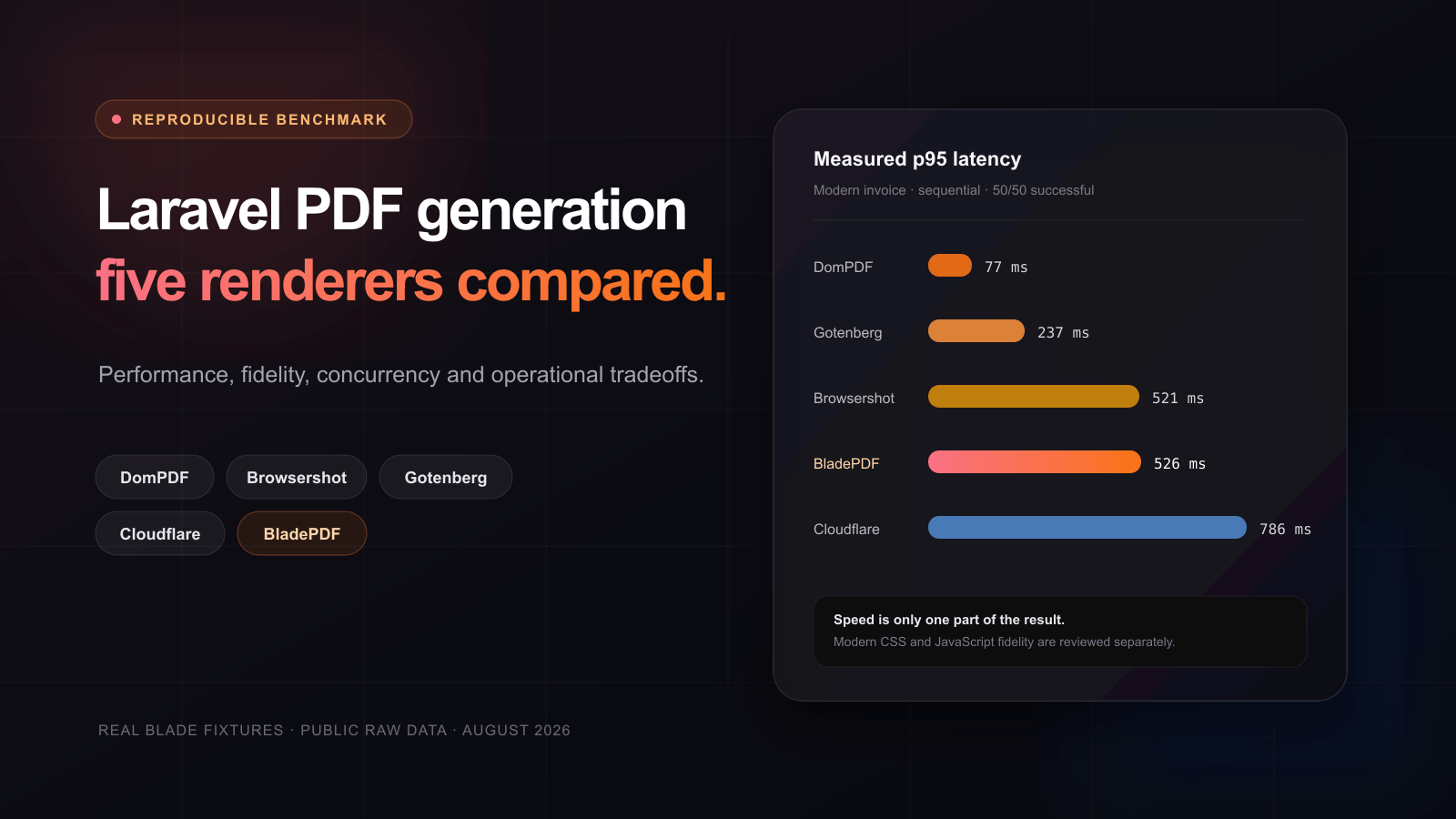
Laravel PDF benchmark: five renderers compared
See how five Laravel PDF renderers handle real Blade invoices, modern CSS, JavaScript, local assets, concurrency, memory and operational ownership.
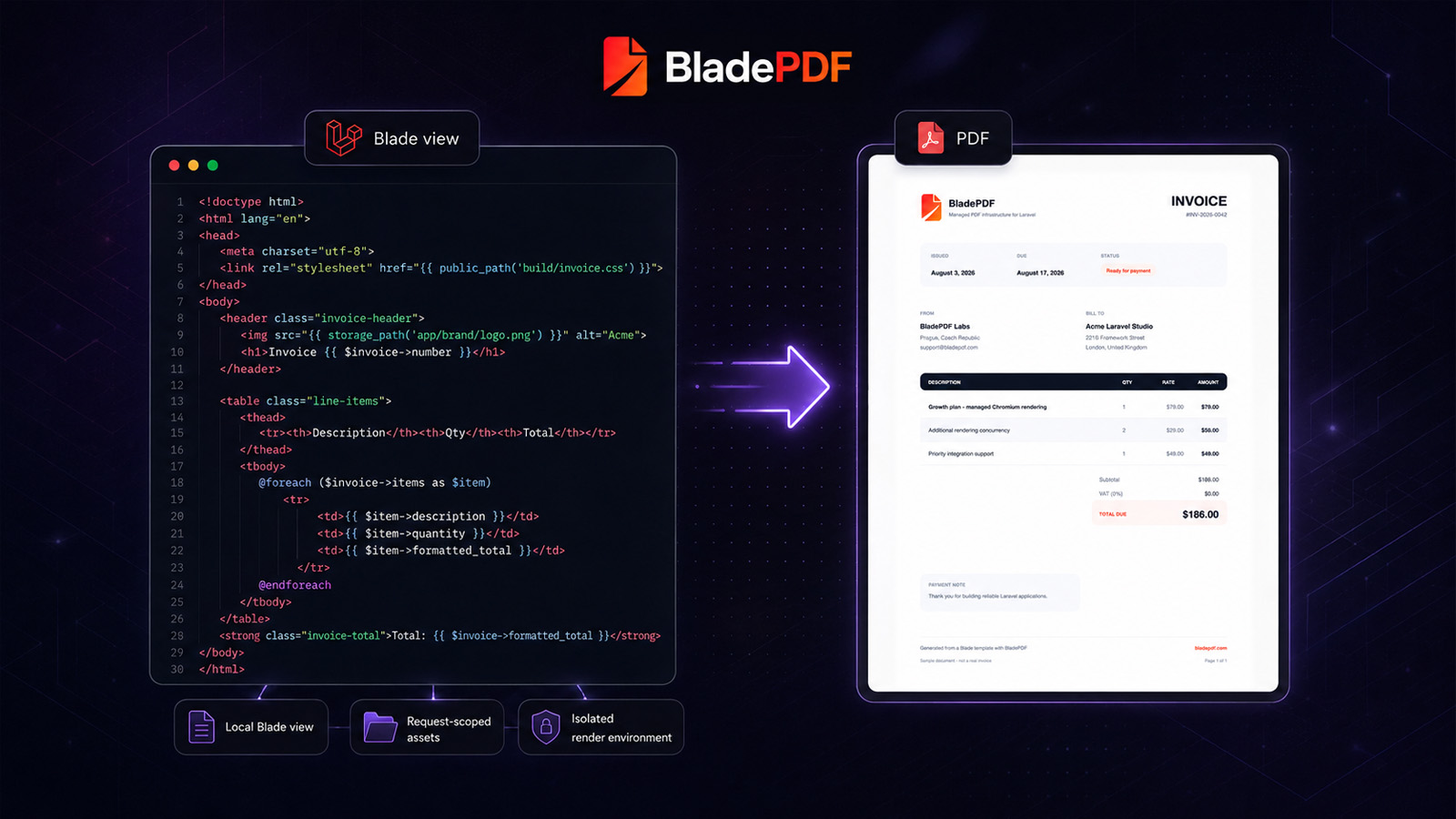
How to Generate PDFs from Laravel Blade Without Running Chromium
Build a production-ready invoice from an existing Blade view, understand how local assets reach the renderer, and decide when managed Chromium is the right tradeoff.
Try your own invoice with the PHP SDK.
Use the Composer example as a starting point. Replace the Twig template, configure your local assets, and check the PDF before connecting it to a customer-facing route.
Was this article helpful?
Your answer helps shape future technical guides.